For golf coaches

Your golfers train between lessons. You finally see it.

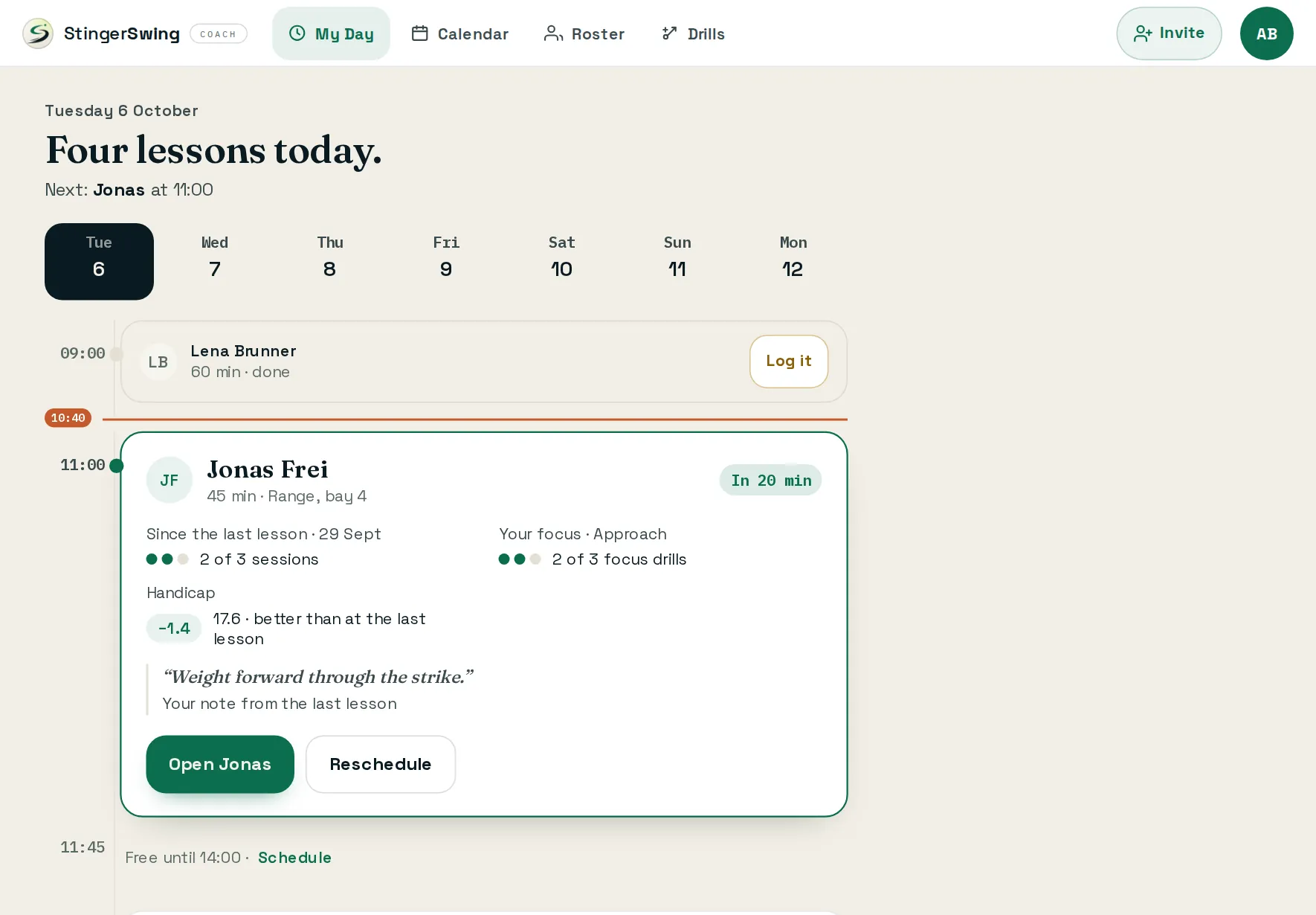
You already build training plans in your head. Assign a drill and it becomes the golfer's next session. You see the work before the next lesson.

My Day screen of the coach app: today's lessons, the next golfer and what they trained

Coach app, My Day · illustrative data

Why

A correction fades if nobody sees the practice that follows it.

Lessons fail mostly between lessons. You give the fix once; the golfer goes home and practises something else. You only find out at the next lesson.

01

The fix fades

What you taught is trained only if it is in the next session. A drill you assign becomes the golfer's next session, not a note they may or may not read.

02

You can't see the work

Today you learn what was practised when the golfer tells you. StingerSwing shows which drills were done, at which level, before the next lesson.

03

Admin eats your week

Logging a lesson takes seconds, assigning a drill takes a few taps, and we don't expect unpaid work between lessons.

What you get

Built for the coach's working day.

Everything here is in the app today. Nothing is a roadmap.

Assign

Put a drill into the next session

Pick a drill from the library or one of your own. It goes into the golfer's next session, with the reason you gave.

See

Who did the work, before the lesson

Drills done, the levels reached, sessions done of those planned, and the handicap over time, for each golfer.

Write

Your own drills

Technical, mental or physical. Name the equipment, including non-standard kit.

Notes

Private notes stay private

Your private notes are never shown to the golfer. What you share after a lesson is what they see, and you choose it.

Calendar

Lessons: book, move, cancel

My Day shows who comes next and what they trained. Lessons update for the golfer in the app.

Connect

One QR code at the end of the lesson

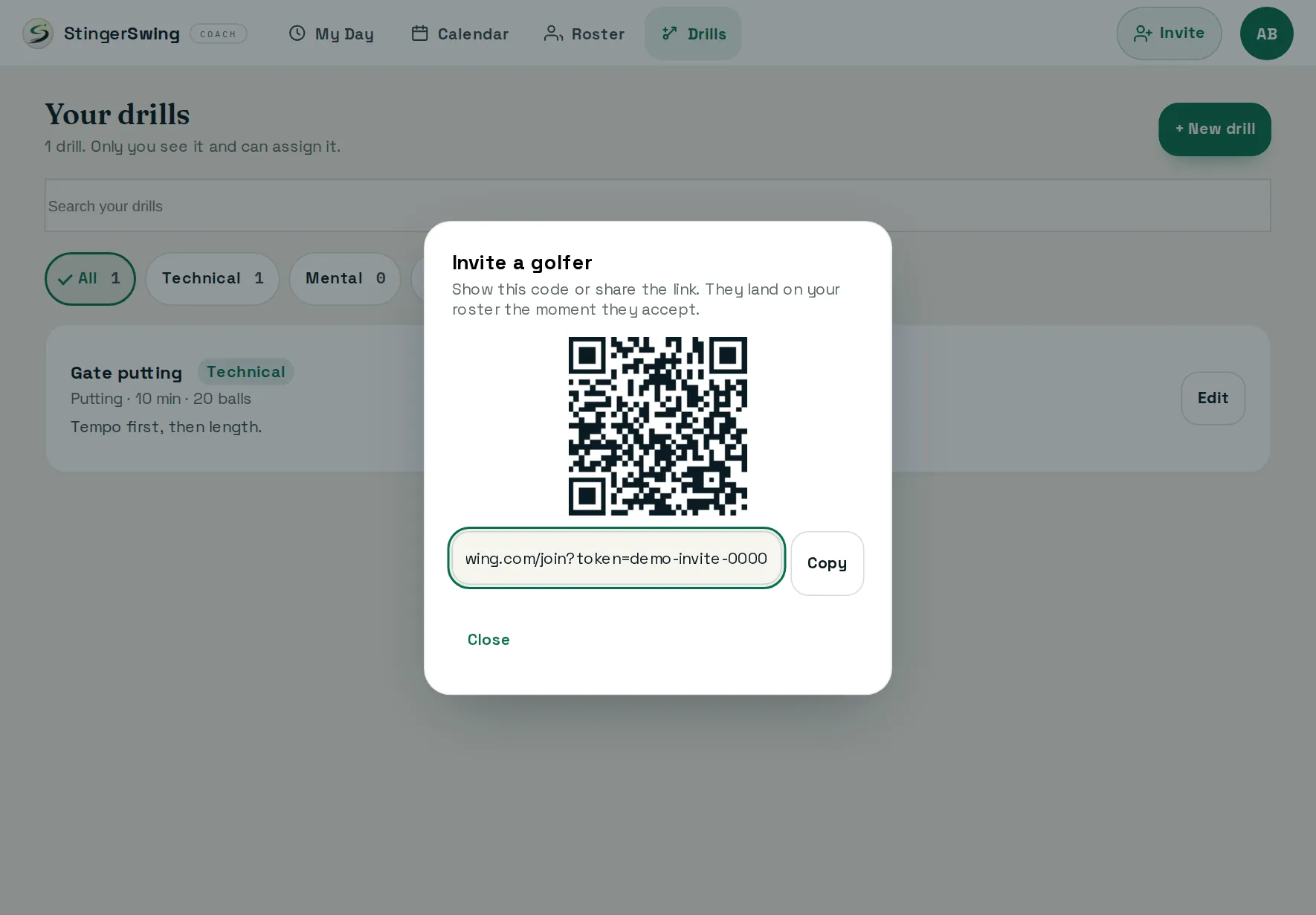
The golfer scans it or opens your link, and is connected in one tap. Invite colleagues from the app.
How it works

Plan. Practise. Review.

The same loop as a good lesson, now between lessons too.

01 · PLAN

You set the focus

Pick a drill and it goes into the golfer's next session, with the reason you gave.

02 · PRACTISE

They train, you see it

Drills done, levels reached and sessions done show up on the golfer's card before the next lesson.

03 · REVIEW

You adjust at the lesson

Log the lesson in seconds. A drill or a focus you set goes into the next sessions, so the fix doesn't fade.

Where the three steps happen

One card. Plan, practise, review.

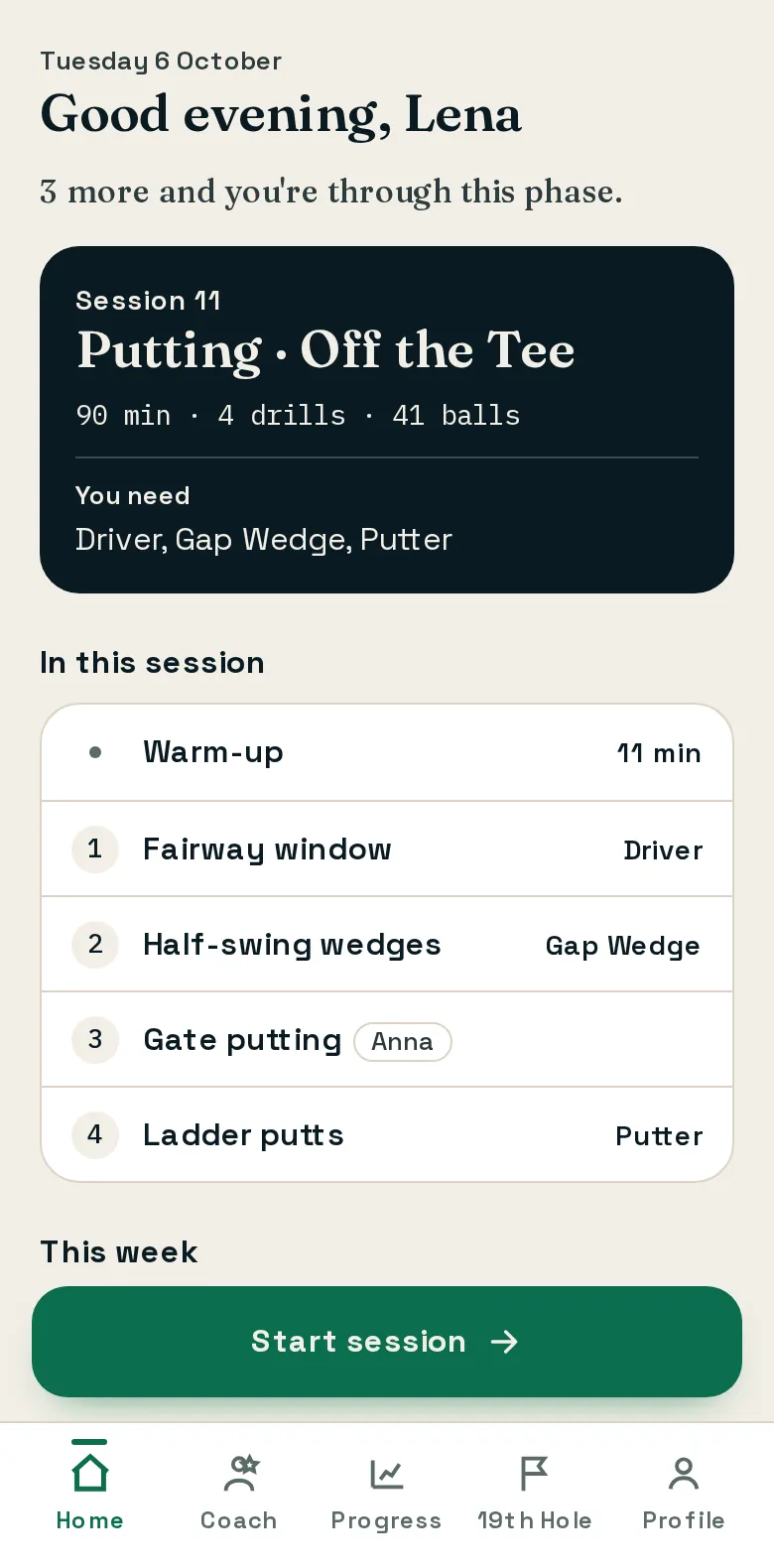
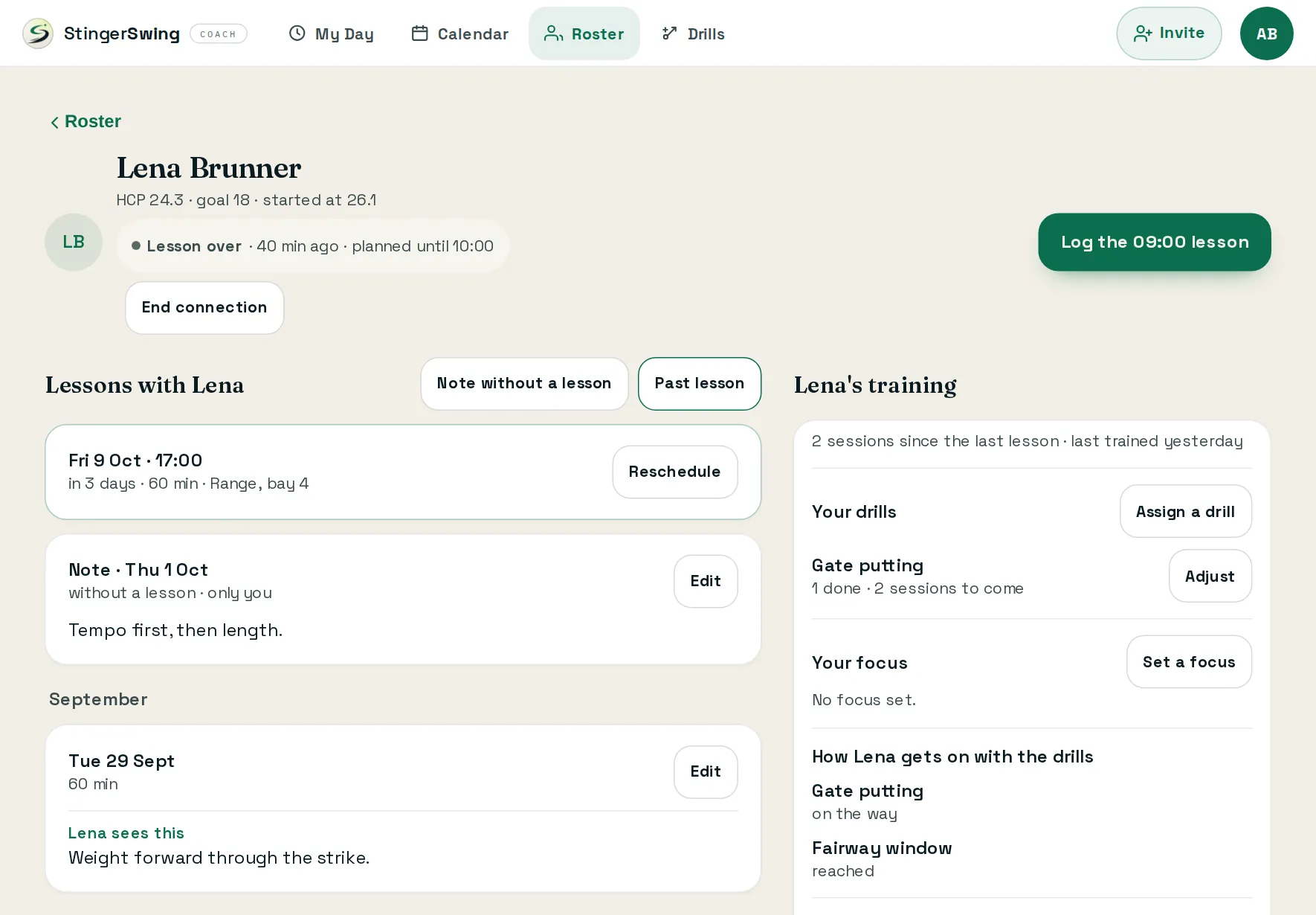
Left, your card for Lena. Right, her phone on the same evening. The drill you assigned is third in her session, marked with your first name.

Coach app, Lena Brunner's card after the lesson: the private note, the drills and Lena sees this

Coach app · Lena's card after the lesson

Golfer app, Session 11: Gate putting is third, tagged Anna

Golfer app · Session 11, drill 3 from Anna

01 · Plan

Your drills → Assign a drill

The drill goes into the golfer's next session, with the reason you gave.

02 · Practise

Your training

Sessions since the last lesson, the last training day and the drill levels, before you open the lesson.

03 · Review

Log the lesson

After the lesson, logged in seconds. What you share is what the golfer sees under "Lena sees this".

In the app

The screens you'll use.

My Day: today's lessons and the next golfer

My Day · today and the next golfer

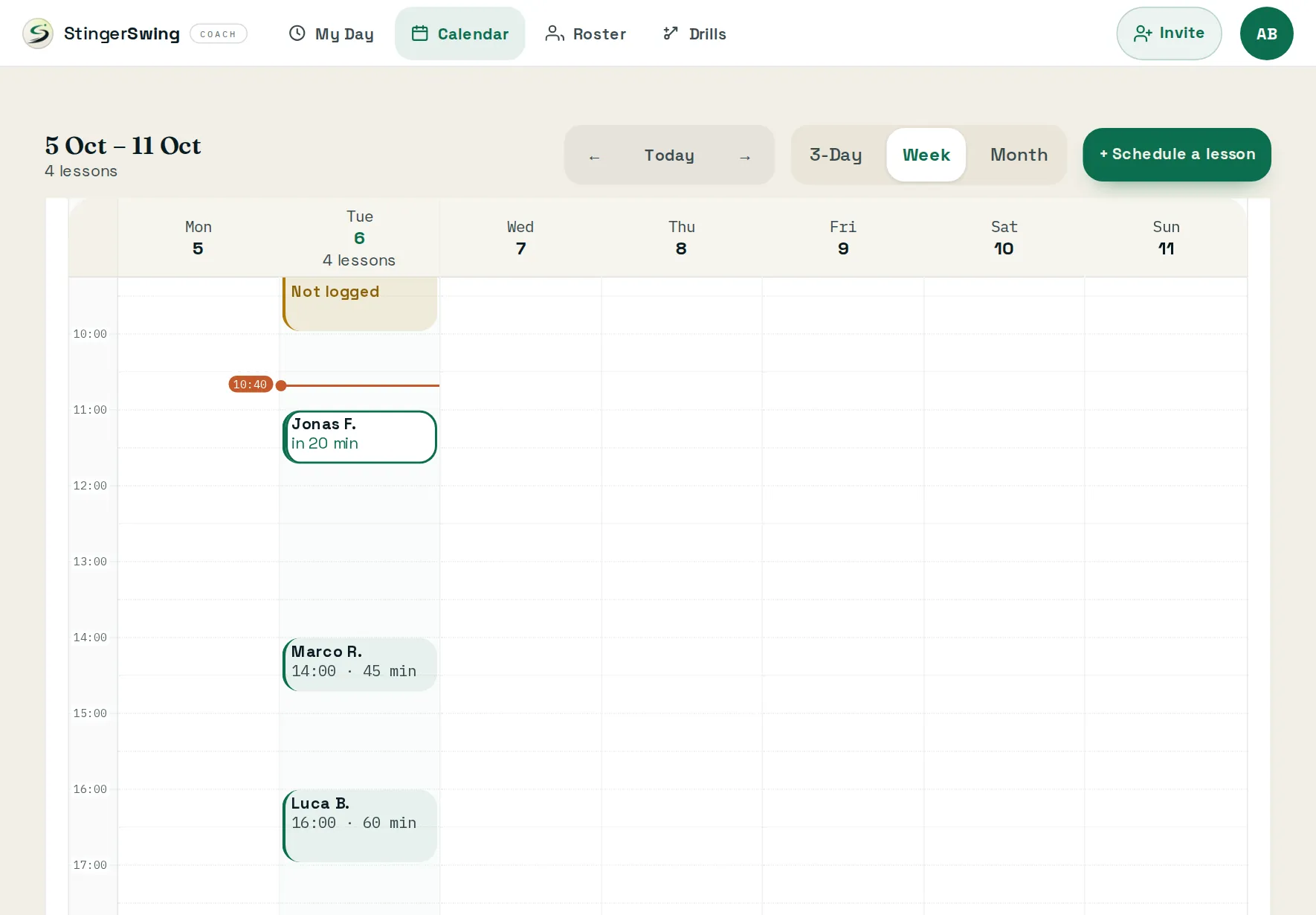
Calendar: the week's lessons

Calendar · book, move, cancel

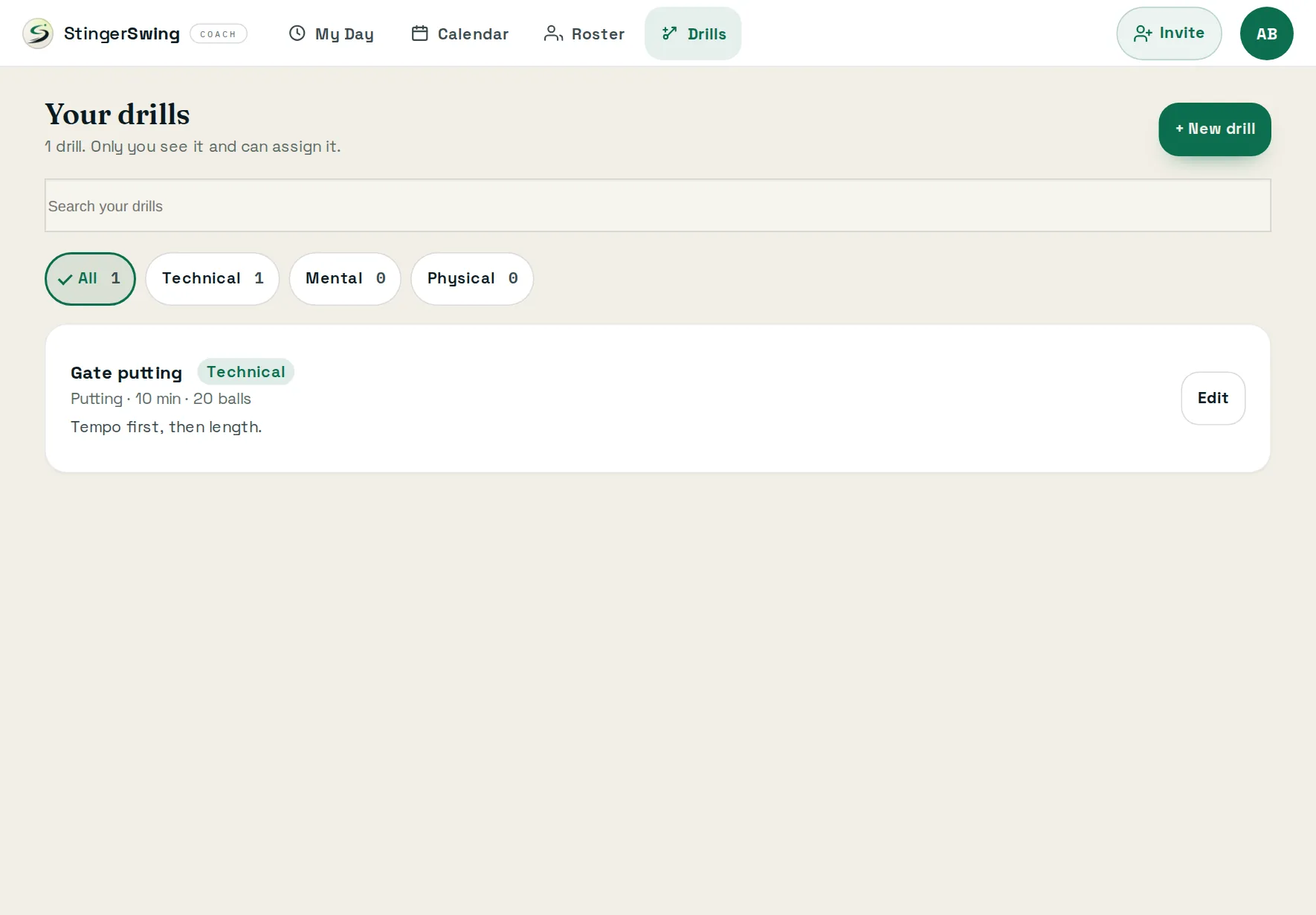
Drills: your library with levels

Drills · your library and your own

Invite: QR code and link

Invite · QR code and link

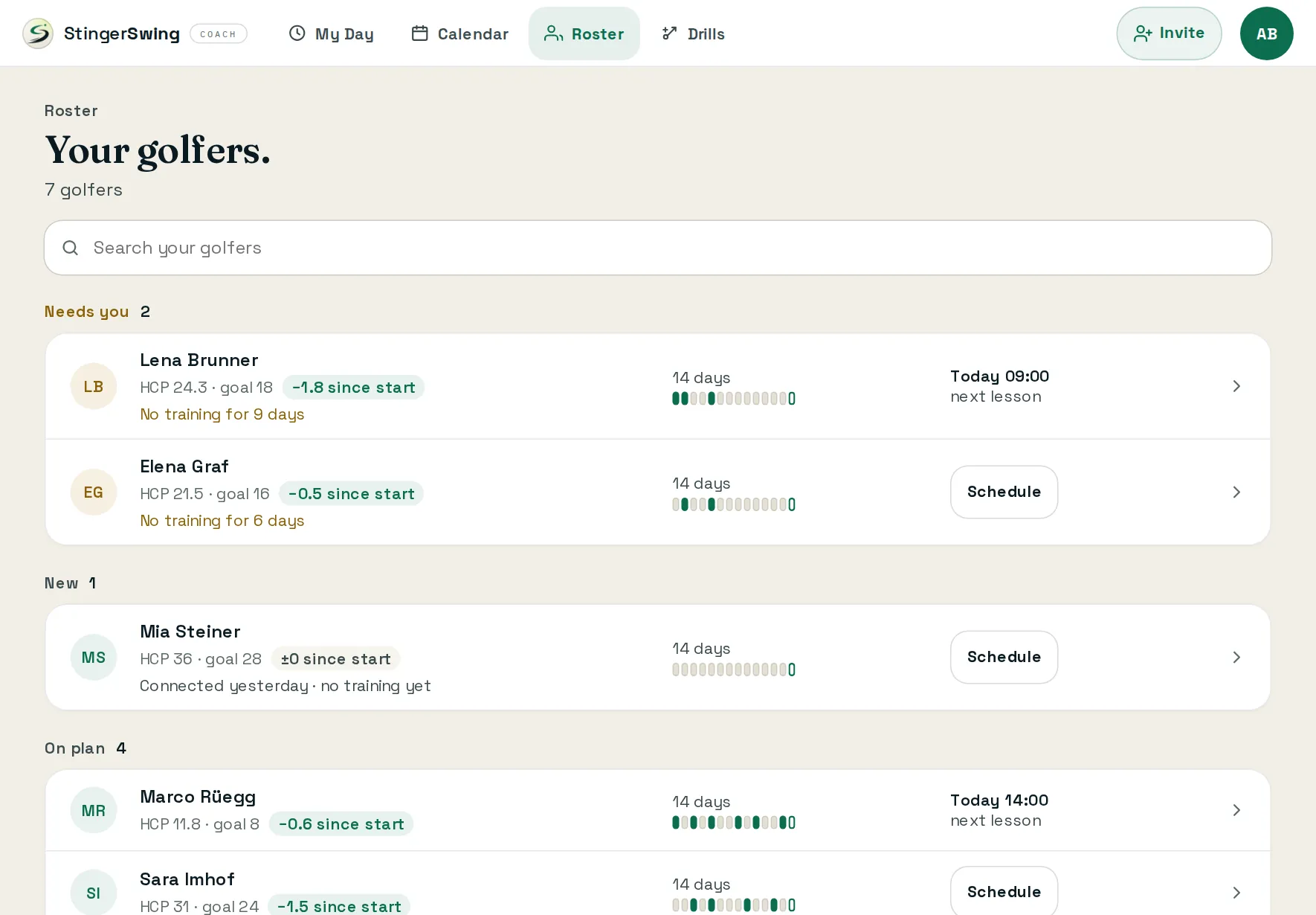
Your roster, on the iPad

Every golfer, one screen.

Who needs you first, the handicap since the start, how long since the last training, and the next lesson, on one row each.

Needs you first

Golfers who have not trained for a while are grouped at the top.

Progress at a glance

Handicap change since the start, and the last 14 days of training.

Coach app roster on an iPad: seven golfers, grouped by need, with handicap, days since training and next lesson

Coach app, roster on iPad · illustrative data, invented names

You set the focus.

The plan works inside it. You can override any suggestion, and the golfer sees that it came from you.

Your private notes stay yours.

The golfer sees only what you share after a lesson. Private notes stay with you, even if a connection ends.

The golfer owns the connection.

They invite you, they accept you, and they can end it at any time. Their history stays theirs.

More questions for coaches: FAQ, coaches section

Pricing

Start free

Free during early access. No card needed. Nothing you can see about a golfer today will be taken away.

Connect your first golfer.

Free, no card. Show a QR code at the end of your next lesson.